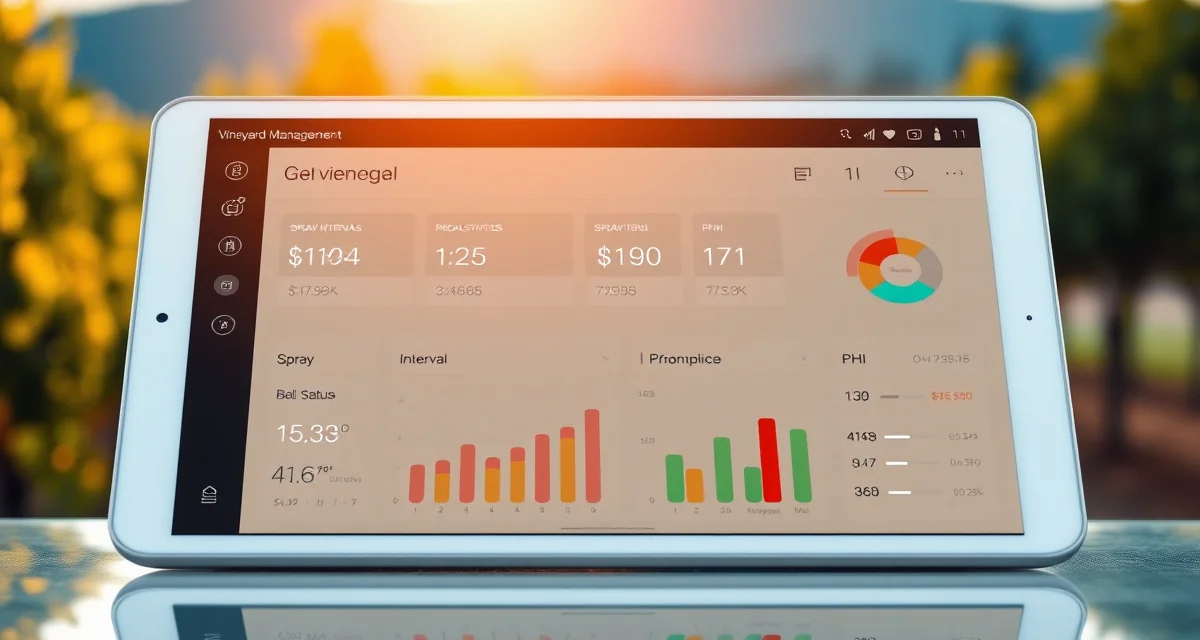
Vineyard IPM Data Dashboard: Everything You Need to See at a Glance
45% of vineyard REI violations occur because managers have no real-time visibility into block restriction status. That's not a failure of knowledge. It's a failure of information architecture. The REI expired 3 hours ago. You know you applied something last week. But without a live view of what's restricted and what's clear, you tell the crew to start irrigation in Block 4 without checking, and Block 4 is still in a 24-hour REI.
A vineyard IPM dashboard exists to make that invisible visible. Every block, every restriction, every upcoming deadline, on one screen.
TL;DR
- 45% of vineyard REI violations occur because managers have no real-time visibility into block restriction status -- not because anyone was reckless, but because the information wasn't accessible when and where the crew direction decision was made
- A dashboard showing "Block 4: REI clears Friday August 23 at 8:17 AM" makes that violation essentially impossible; the crew lead checks before directing workers, sees the exact clearance time, and waits 17 minutes
- PHI conflicts visible on September 5 -- a product with a 14-day PHI applied August 31, with harvest planned September 12 -- allow adjustment before the fruit is rejected at winery delivery rather than after
- Spray intervals slip during the intense bloom period and July heat: a dashboard showing "Block 6 powdery mildew interval elapsed 3 days ago" catches program gaps before they become disease pressure events
- VitiScribe's dashboard is mobile-first -- the phone interface is the primary interface, not a simplified version of a desktop view; REI status, PHI countdown, and spray interval data load in under 3 seconds on any smartphone
- Dashboard accuracy depends entirely on the completeness of underlying spray and scouting records; the dashboard can only show what's been entered
What Belongs on a Vineyard IPM Dashboard
The most useful vineyard IPM dashboards display five core categories:
Current REI status by block: Which blocks are currently in an active re-entry interval, and when does each restriction expire. This is the most time-sensitive information on the dashboard and the one that causes violations when it's not visible.
PHI countdown by block and product: For each block approaching harvest, a countdown showing days remaining on each product's PHI. Blocks with PHIs clearing within 14 days deserve extra attention. Blocks with PHIs that will still be active at your anticipated harvest date need immediate attention.
Upcoming spray intervals by block: Based on your last application date and your target spray interval for each block, when is the next application due? A dashboard that shows "Block 6 powdery mildew interval elapsed 3 days ago" catches program gaps before they become disease pressure events.
Pest pressure trend by block: Based on scouting records, are pest pressure levels in each block stable, increasing, or declining? An increasing trend in Block 3 that's approaching threshold warrants different attention than a stable trend at sub-threshold levels.
Compliance alerts: Any records that are incomplete, overdue for county filing, or approaching a deadline. The compliance layer of the dashboard keeps you ahead of regulatory requirements rather than reacting to them.
The Real-Time REI Problem
REI management is the compliance area where real-time visibility creates the most direct risk reduction. The math is straightforward, but the execution is where failures happen.
A 4-day (96-hour) REI on a fungicide applied Monday at 8 AM expires Friday at 8 AM. If your crew shows up Friday morning and you've forgotten the exact application time, you might send them into the block at 7 AM, one hour before the restriction clears.
That's a WPS violation, and it happened not because anyone was reckless but because the information wasn't immediately accessible.
A dashboard that shows "Block 4: REI clears Friday August 23 at 8:17 AM" makes that violation essentially impossible. The crew lead checks the dashboard before sending workers to Block 4. They see the clearance time. They wait or redirect the crew until 8:17 AM.
PHI Dashboard View
PHI management gets complex in harvest season, when you're tracking multiple products across multiple blocks with different harvest dates.
A PHI dashboard view should show, for each block approaching harvest:
- Days until anticipated harvest
- For each product applied in the preceding 30-60 days: days remaining on PHI
- Clear or restricted status for today's date
- Date when the last active PHI clears
If you're looking at this view on September 5th and your harvest plan has Block 2 Chardonnay going September 12th, and the dashboard shows one product with a 14-day PHI applied August 31st (PHI clears September 14th), you can see the conflict immediately and adjust before it becomes a rejected fruit delivery.
VitiScribe's PHI/REI compliance tracking maintains this view continuously, updated every time a spray record is logged or modified.
Spray Interval Dashboard
Spray intervals are where programs slip. The bloom window is intense, the July heat comes, and suddenly you're looking at 16 days since your last powdery mildew application on a 10-day interval program.
An interval dashboard shows:
- Last application date by block and pest target
- Target interval for each block/pest combination
- Days since last application
- Days overdue (if elapsed interval exceeds target interval)
- Suggested next application date
The color coding matters: blocks with elapsed intervals are yellow. Blocks substantially overdue are red. Blocks upcoming in the next 3 days are flagged for planning. You can see your entire spray schedule in a single view.
This view is particularly useful for managers overseeing multiple blocks or multiple properties. It replaces the mental map you'd otherwise maintain about which block got what last week.
Customizing for Your Operation
Different vineyard operations have different dashboard priorities. A 200-acre estate operation with 20 blocks needs different default views than a 15-acre owner-operated property.
VitiScribe dashboard widgets are customizable for your operation's priorities. An estate winery operation with multiple blocks approaching harvest simultaneously might set PHI countdowns as the primary view. A spring operation in active bloom might prioritize spray intervals and REI status. A contract grower managing multiple buyer relationships might prioritize buyer-specific compliance status views.
VitiScribe's vineyard IPM tracking system is the data layer that feeds the dashboard. The accuracy of your dashboard depends on the completeness of your underlying spray and scouting records.
Mobile Dashboard Access
The most important thing about a vineyard IPM dashboard is that it's accessible where the decisions are being made: in the field, on a phone, with vineyard workers nearby.
A dashboard accessible only from your office desktop doesn't prevent REI violations that happen at 7 AM when you're in the vineyard directing crew. A mobile dashboard that you check from your phone before giving the crew their morning assignment does.
VitiScribe's dashboard is designed mobile-first. The phone interface is not a simplified version of the desktop; it's the primary interface. REI status, PHI countdown, and spray interval data are all on the main dashboard view that loads in under 3 seconds on any smartphone.
Agrian's dashboard requires desktop and agronomist setup. VitiScribe's dashboard works from any phone with no setup, from the moment you log in for the first time.
Frequently Asked Questions
What data should a vineyard IPM dashboard show?
A complete vineyard IPM dashboard should display current REI status by block showing active restrictions and clearance times, PHI countdown by block and product for blocks approaching harvest, spray interval tracking showing last application date and days until next application due, pest pressure trend from recent scouting records, and compliance alerts for incomplete records or overdue filings. These five categories cover the real-time decisions that most directly affect compliance risk and program effectiveness.
How does VitiScribe's dashboard display REI and PHI status across blocks?
VitiScribe's dashboard shows a block-by-block view of current REI and PHI status that updates in real time when spray records are logged. REI restrictions show the expiration time in hours and minutes. PHI countdowns show days remaining and the clearance date for each product. Both views use color coding to flag urgent items: active restrictions and clearance dates within 24 hours are highlighted for immediate attention.
Can I customize the VitiScribe dashboard for my operation?
Yes. VitiScribe's dashboard widgets are configurable to prioritize the metrics most relevant to your operation's current season phase and management priorities. During bloom season, spray interval tracking and disease pressure views can be set as primary widgets. During harvest season, PHI countdowns and harvest clearance status become primary. The customization is done through widget arrangement in your account settings without requiring technical configuration.
How does the dashboard handle operations where different crew members are working in different blocks simultaneously?
VitiScribe's dashboard is accessible to all users on an account simultaneously, so a crew supervisor in Block 3 can check REI status for Block 3 on their phone at the same time the farm manager is reviewing PHI status for Block 7 on theirs. The block-level view is specific -- each person sees status for the blocks they're working, without needing to parse a property-wide list. When a spray application is logged by one user, REI status updates in real time for all other users viewing the dashboard, so crew direction decisions are always based on current information regardless of who logged the most recent application.
What is Vineyard IPM Data Dashboard: Everything You Need to See at a Glance?
[FAQ_ANSWER_PLACEHOLDER: This answer needs to be generated by AI with specific data, examples, and actionable advice relevant to Vineyard IPM Data Dashboard: Everything You Need to See at a Glance. Target 50-150 words.]
How much does Vineyard IPM Data Dashboard: Everything You Need to See at a Glance cost?
[FAQ_ANSWER_PLACEHOLDER: This answer needs to be generated by AI with specific data, examples, and actionable advice relevant to Vineyard IPM Data Dashboard: Everything You Need to See at a Glance. Target 50-150 words.]
How does Vineyard IPM Data Dashboard: Everything You Need to See at a Glance work?
[FAQ_ANSWER_PLACEHOLDER: This answer needs to be generated by AI with specific data, examples, and actionable advice relevant to Vineyard IPM Data Dashboard: Everything You Need to See at a Glance. Target 50-150 words.]
What are the benefits of Vineyard IPM Data Dashboard: Everything You Need to See at a Glance?
[FAQ_ANSWER_PLACEHOLDER: This answer needs to be generated by AI with specific data, examples, and actionable advice relevant to Vineyard IPM Data Dashboard: Everything You Need to See at a Glance. Target 50-150 words.]
Who needs Vineyard IPM Data Dashboard: Everything You Need to See at a Glance?
[FAQ_ANSWER_PLACEHOLDER: This answer needs to be generated by AI with specific data, examples, and actionable advice relevant to Vineyard IPM Data Dashboard: Everything You Need to See at a Glance. Target 50-150 words.]
How long does Vineyard IPM Data Dashboard: Everything You Need to See at a Glance take?
[FAQ_ANSWER_PLACEHOLDER: This answer needs to be generated by AI with specific data, examples, and actionable advice relevant to Vineyard IPM Data Dashboard: Everything You Need to See at a Glance. Target 50-150 words.]
What should I look for when choosing Vineyard IPM Data Dashboard: Everything You Need to See at a Glance?
[FAQ_ANSWER_PLACEHOLDER: This answer needs to be generated by AI with specific data, examples, and actionable advice relevant to Vineyard IPM Data Dashboard: Everything You Need to See at a Glance. Target 50-150 words.]
Is Vineyard IPM Data Dashboard: Everything You Need to See at a Glance worth it?
[FAQ_ANSWER_PLACEHOLDER: This answer needs to be generated by AI with specific data, examples, and actionable advice relevant to Vineyard IPM Data Dashboard: Everything You Need to See at a Glance. Target 50-150 words.]
Related Articles
- Biological Control Records in Vineyard IPM: Tracking Beneficial Insects
- Black Rot Management in Vineyards: Complete IPM Guide
Sources
- US Environmental Protection Agency (EPA) Worker Protection Standard
- California Division of Occupational Safety and Health (Cal/OSHA)
- California Department of Pesticide Regulation (CDPR)
- UC Cooperative Extension Viticulture
- American Vineyard Foundation
Get Started with VitiScribe
45% of REI violations happen because managers have no real-time visibility into block restriction status -- not from recklessness but from the gap between knowing an application happened last week and knowing exactly when the restriction clears this morning. VitiScribe's mobile-first dashboard shows REI clearance time, PHI countdowns, and spray interval status for every block, loading in under 3 seconds from any smartphone where the crew direction decision is actually made. Try VitiScribe free and check your first block's real-time restriction status today.